







Farmer ID - Rajasthan’s Kisan Registry
 May 13, 2026
 by Pankaj Sihag



Farmer ID - Rajasthan’s Kisan Registry
Getting your Farmer ID (Kisan Pehchaan Patra) is actually quite simple, and you can do it yourself online or visit a center.
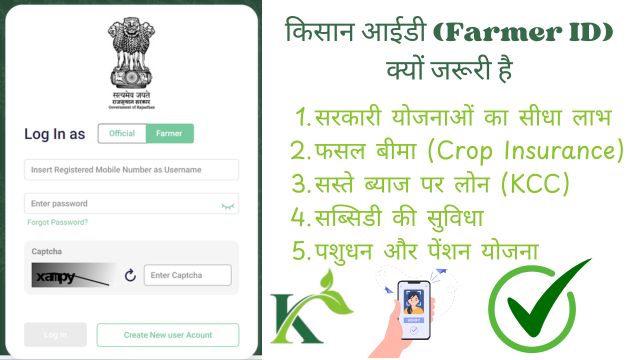
Since the poster mentions "E-Mitra" and "Patwari," this process is specifically tailored for Rajasthan’s Farmer Registry (RajKisan) system.
Here is the step-by-step guide to getting it done.
 Table of Contents
Things You’ll Need for Farmer ID
Before you sit down at the computer or go to the shop for making your Farmer ID, make sure you have:
- Aadhaar Card: It must be linked to your active mobile number (for OTP).
- Jan Aadhaar Card: Essential for Rajasthan residents.
- Land Records (Jamabandi): You’ll need your Khata/Khasra numbers.
- Bank Passbook: To link your account for direct benefit transfers.
Option 1: Doing it Yourself (Online)
If you are tech-savvy or have a youngster at home with a smartphone, follow these steps:
- Visit the Portal: Go to the official RajKisan Saathi portal or the Rajasthan Farmer Registry website.
- Login with Aadhaar/Jan Aadhaar: Use your Aadhaar number to log in. You will receive an OTP on your mobile. Enter it to verify.
- Fill Personal Details: Your name and photo will usually be pulled from Aadhaar. Fill in other details like your father's name, age, and address.
- Land Mapping ("Claim Land Buckets"): This is the most important part. The system will show land records linked to your name. You have to select (claim) the correct survey/khasra numbers that belong to you.
- e-KYC & e-Sign: The portal will ask for a final digital signature or another OTP to confirm that all information is true.
- Submit & Get ID: Once you submit, the application goes to the local official (Patwari) for digital verification. After approval, you can download your Unique Farmer ID.
Option 2: Through E-Mitra (The Easiest Way)
If you don't want the technical headache, this is the best route:
- Go to the Center: Take your Aadhaar, Jan Aadhaar, and a copy of your Jamabandi to the nearest E-Mitra.
- Biometric/OTP: The operator will put your thumb on the scanner or use an OTP to open your profile.
- Operator Entry: Tell them which land plots are yours. They will upload the details and "claim" the land on the portal for you.
- Receipt: Always take a printout of the application receipt.
- Verification: The Patwari will check the details online. Once they "green-signal" it, your ID is generated.
Pro-Tips for Success in Making Farmer ID
Name Match: Make sure the name on your Aadhaar matches the name in the land records. If there is a big spelling mistake, get it corrected first.
Mobile Link: If your Aadhaar isn't linked to your mobile, go to an Aadhaar center first—without the OTP, the process won't move an inch.
No Fees: Generally, for government registration, the fees are very nominal at E-Mitra. Don't pay extra "service charges" to anyone.